
Purchase orders and budgets
Purchase orders made easy, even for teams that have never used them
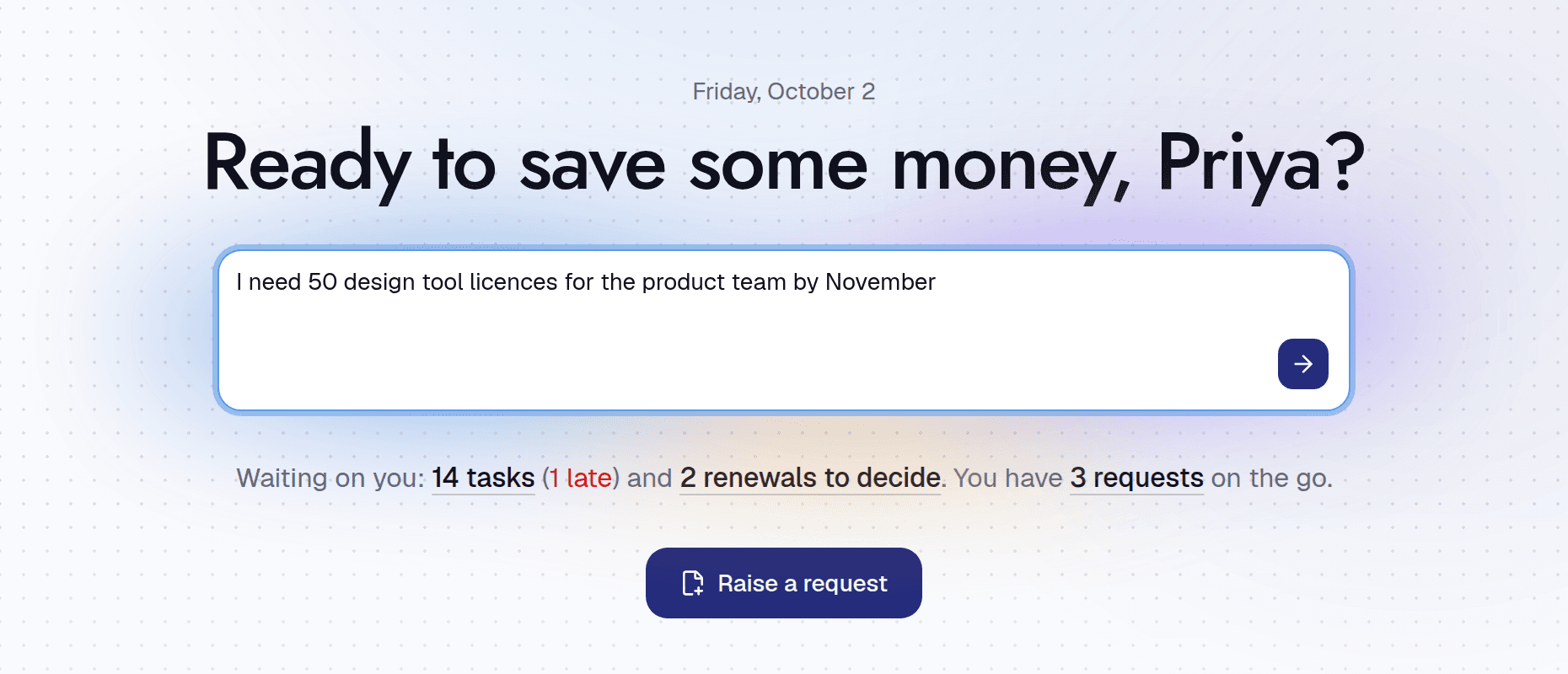
Turn the winning offer into a PO in one step, checked against budget and sent through your approval rules automatically.
Get early access
Sound familiar?
- POs are raised after the invoice, if at all
- Budget owners find out about spend when it is too late
- Filling in a PO means retyping the quote
Watch
See it working
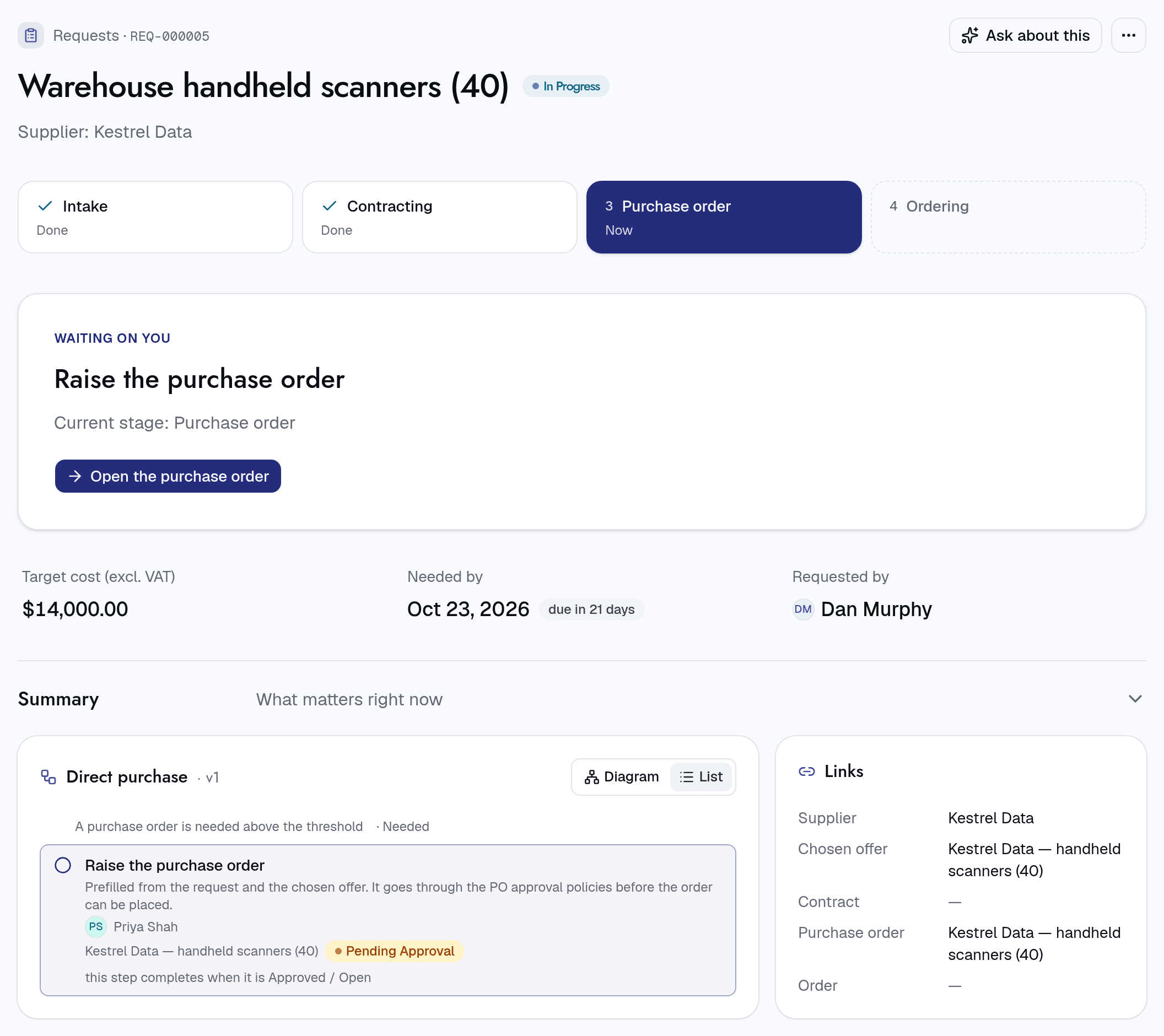
A PO in one step
When your threshold says a PO is needed, Intakt prefills it from the request and the winning offer.
- Only asked for when your threshold says so
- Prefilled from the request and the winning offer
- Sent through your approval rules automatically
Follow the spend on every PO
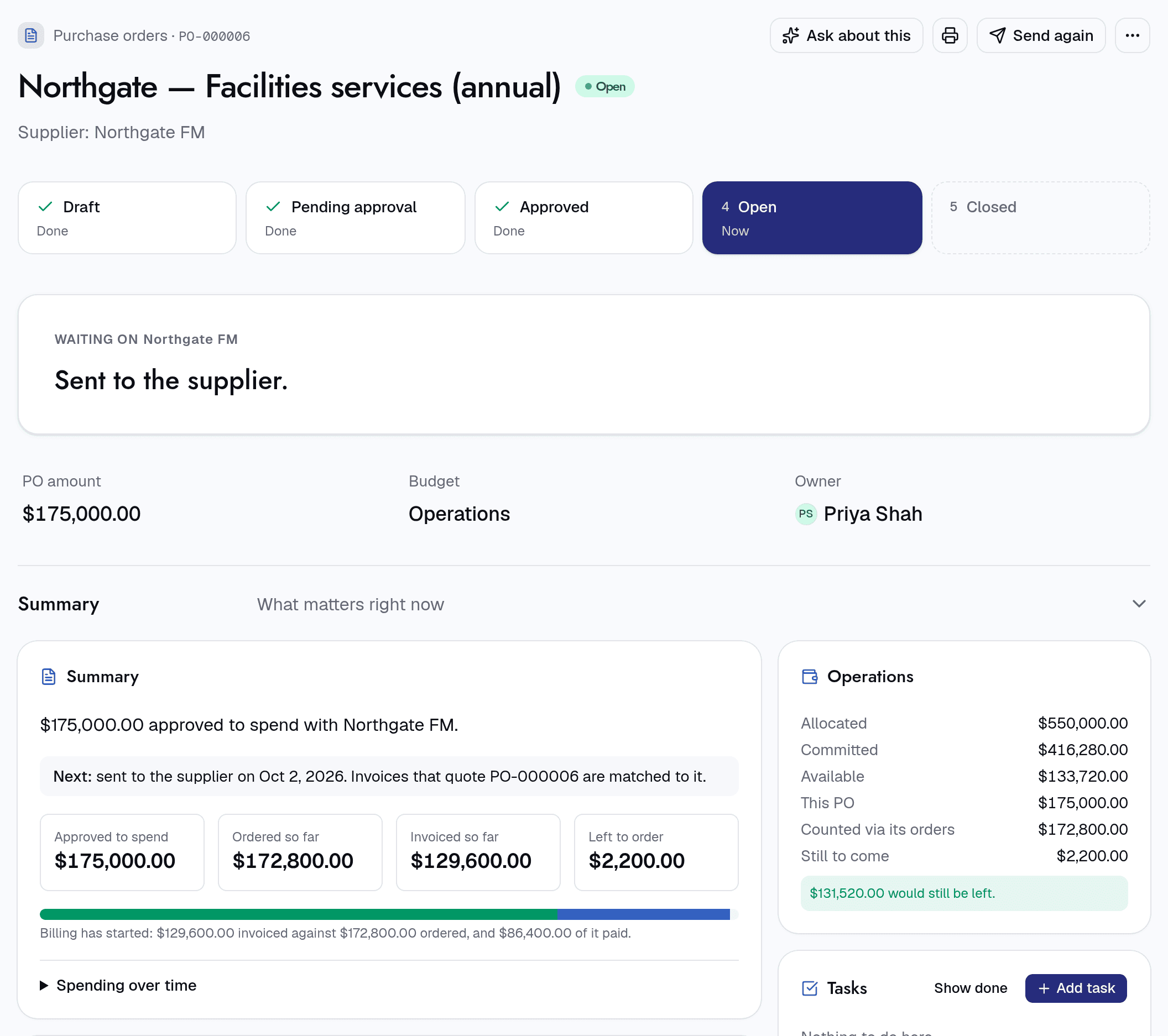
See what has been ordered, invoiced and paid against each PO, and what is left, without opening a spreadsheet.
- Approved, ordered, invoiced and left to order, at a glance
- Invoices that quote the PO number are matched to it
- Sent to the supplier from Intakt
Also included
Budget checks
Approvers see where the budget stands if this goes ahead, before they decide.
Budgets by owner
Budgets by department, cost centre and year, with owners who approve spend against them.
Send to the supplier
Email the PO to the supplier with its lines and totals, straight from Intakt.
Receipts and orders
Record what has arrived, so invoices can be checked against what was delivered.
For the people who need things
The PO is filled in for you from what you already agreed. Nothing to retype.
For the people who buy
Spend is checked against budget when it is committed, before any money goes out.
Proper buying rules, without the big procurement team.