

Every approved invoice lands on the next payment run by itself. A run is the list you pay in one go from the bank.
- Open Payment runs. Each run shows its date and the invoices on it. Approved invoices not yet placed show under Approved, not yet in a run.
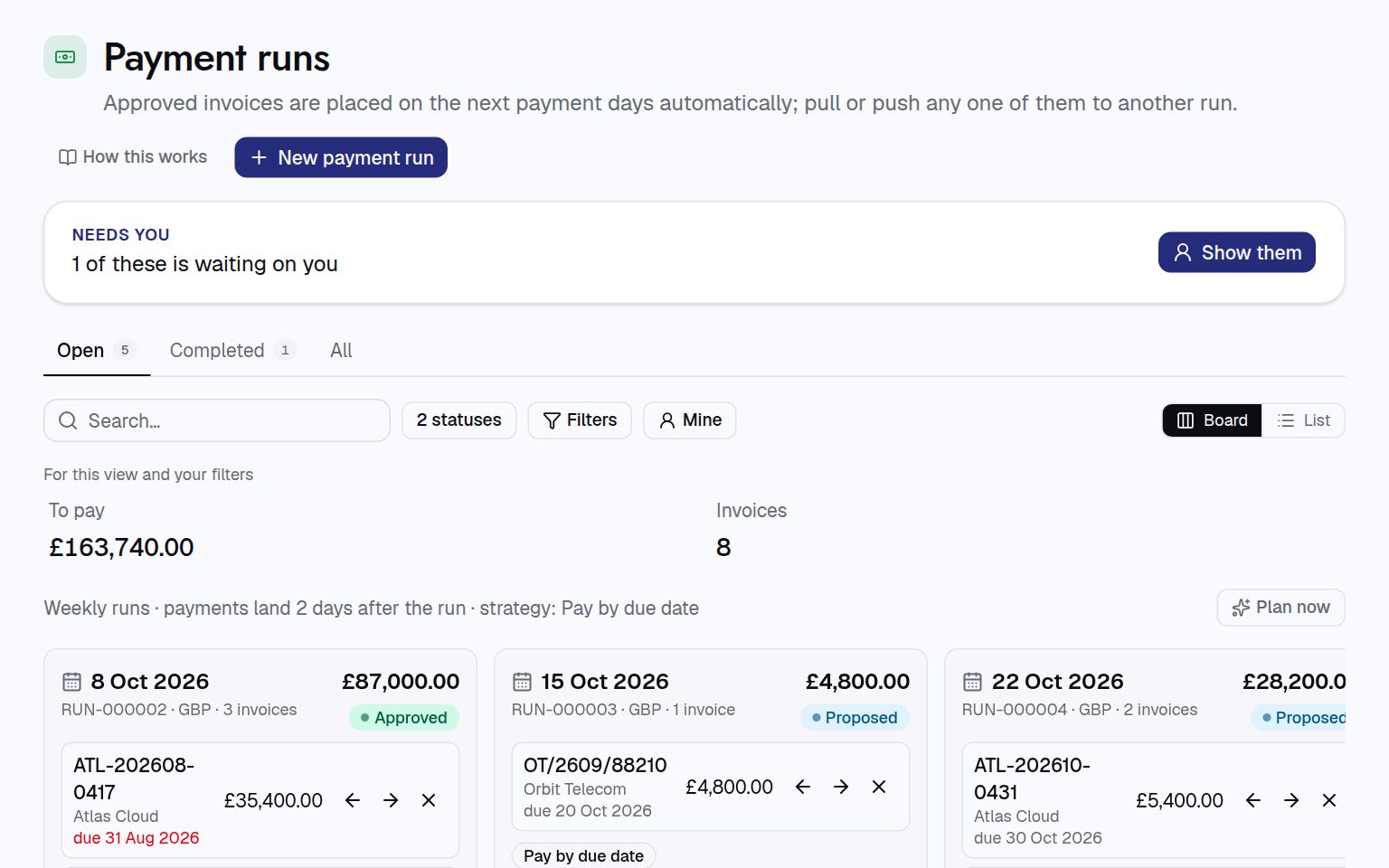
- Check the list. Move an invoice with Move to the next run or Move to the previous run, or take it out with Take out of the run.
- Approve the run. When the list is right, open the run, press …, then under Move to pick Approved.
- Export it for the bank. Press Export CSV. Choose the columns your bank needs under Columns in the file.
- Mark it paid. Once the bank has paid, press … and move the run to Completed. Each invoice is recorded as paid, with the run number as the reference.
Paid one outside a run? On the invoice, press Record a payment and fill in when and how it was paid.
For procurement teams
- Schedule: runs are weekly on Thursdays by default, with payments landing two days later, paying by due date. The current schedule shows at the top of Payment runs.
- Runs are made as needed, one per date and currency. An invoice only moves into an open run (proposed or approved) in the same currency.
- Cancelling a run puts its invoices back to approved.
- To send an approved invoice back to exception, take it out of its run first.