

Every supplier has one page with everything about them: what you buy, their contracts, how risky they are and how they’re doing. Contracts sit alongside, with their renewal and notice dates worked out for you.
- Add a supplier. In Suppliers › Directory, press New supplier and fill in its name and details. It starts as a prospect. Add people on its page with Add contact.
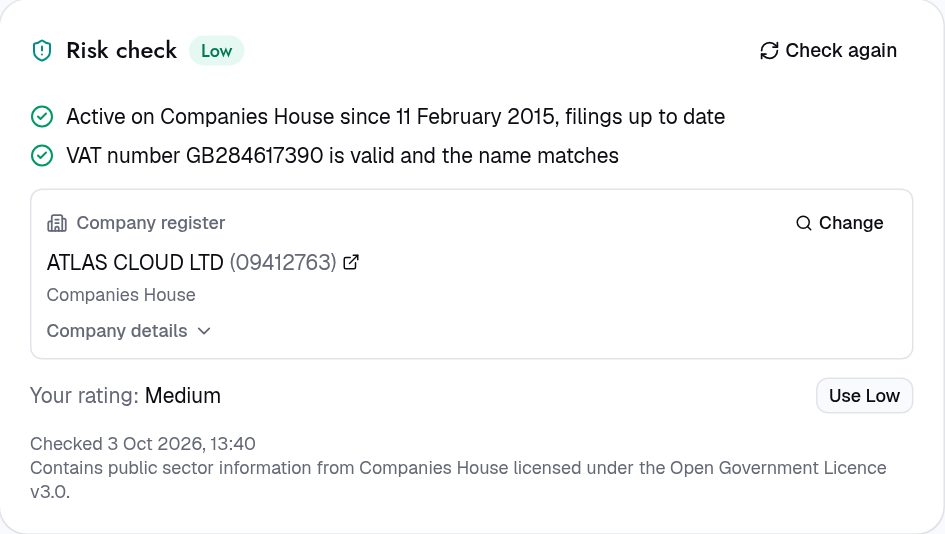
- Check who they are. On the supplier’s page, open Health. Under Risk check, press Find next to Company register, search for the company, and press Link. Intakt fills in the legal name and address, and checks their status and filings.
- Score them now and then. Under Scorecard, press Score and rate quality, delivery and responsiveness. Log reviews, QBRs and site visits with Log event. Suppliers › Events lists them for every supplier.
- Add their contract. Open Contracts, press New contract, then upload the signed PDF on its Documents fold and press Extract with AI. Check what it found and press Apply. Nothing changes until you do.
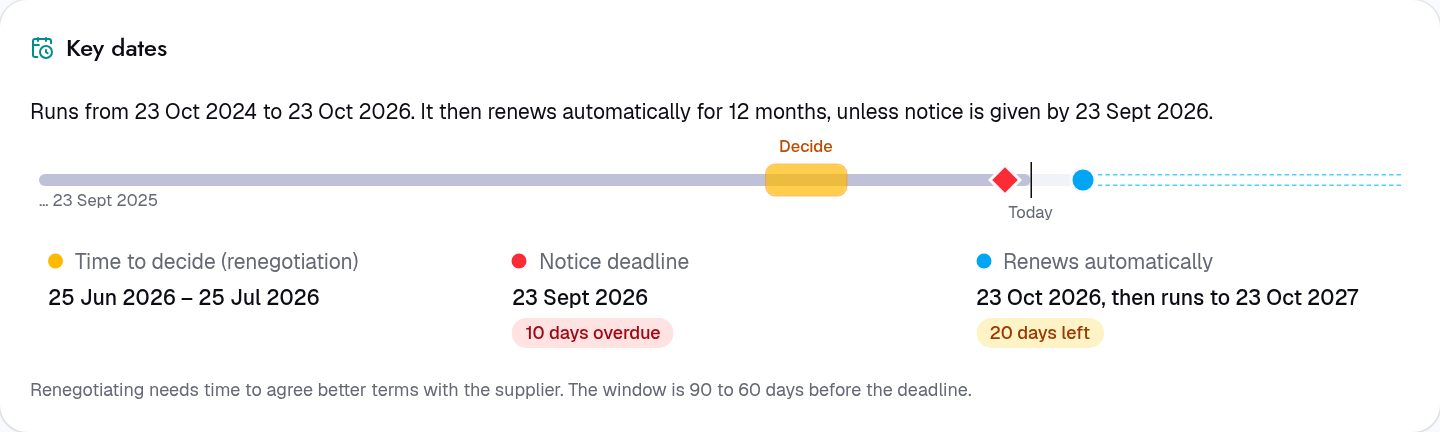
- Decide renewals in time. Each contract shows when the decision is due, from its end date and notice period. Renewal decisions on Home lists the ones waiting. Pick Renew, Renegotiate or Do not renew.
Have a spreadsheet of suppliers or contracts already? An administrator can bring it in with Import on the list.
For procurement teams
- Preferred suppliers are suggested first for their categories. Set Preferred supplier on the supplier with Edit.
- Rechecks: suppliers are checked against the company register, VAT records and sanctions lists when they are added and again every night. A possible sanctions match holds purchase orders to that supplier until someone confirms or clears it, with a note.
- Renewal intent: Renew or Renegotiate starts a renewal request; Do not renew raises a task to give notice.
- Locked terms: once a contract is scheduled or active, its dates and notice period change only through Amend the term. A higher value goes for approval.
- Child contracts (statements of work, order forms) hang off a master agreement with New child contract.
- Seats: software and per-seat contracts show seats paid for against seats in use, and what unused seats cost per year.
Next: Set up your account