

A request is how you ask to buy something. Say what you need and Intakt sends it to the right people. You don’t need to know the price or the supplier.
- Say what you need. On Home, press Raise a request. Or type it in the box, like “10 design tool licences for the new starters”, and the assistant drafts the request for you to check.
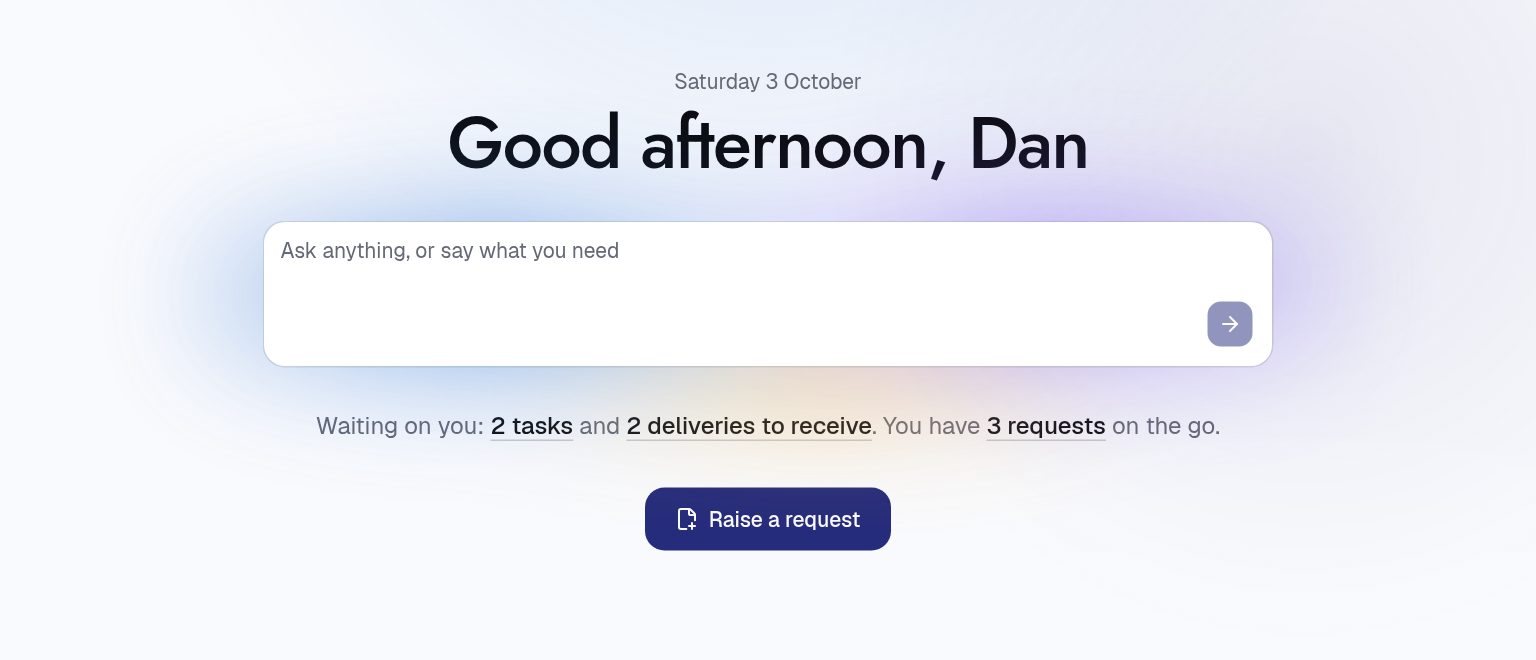
- Fill in what you know. Only the title is needed. Add a few words on why, and a date in Needed by if it matters. If you don’t know the cost, tick I don’t know yet: the first quote sets it.
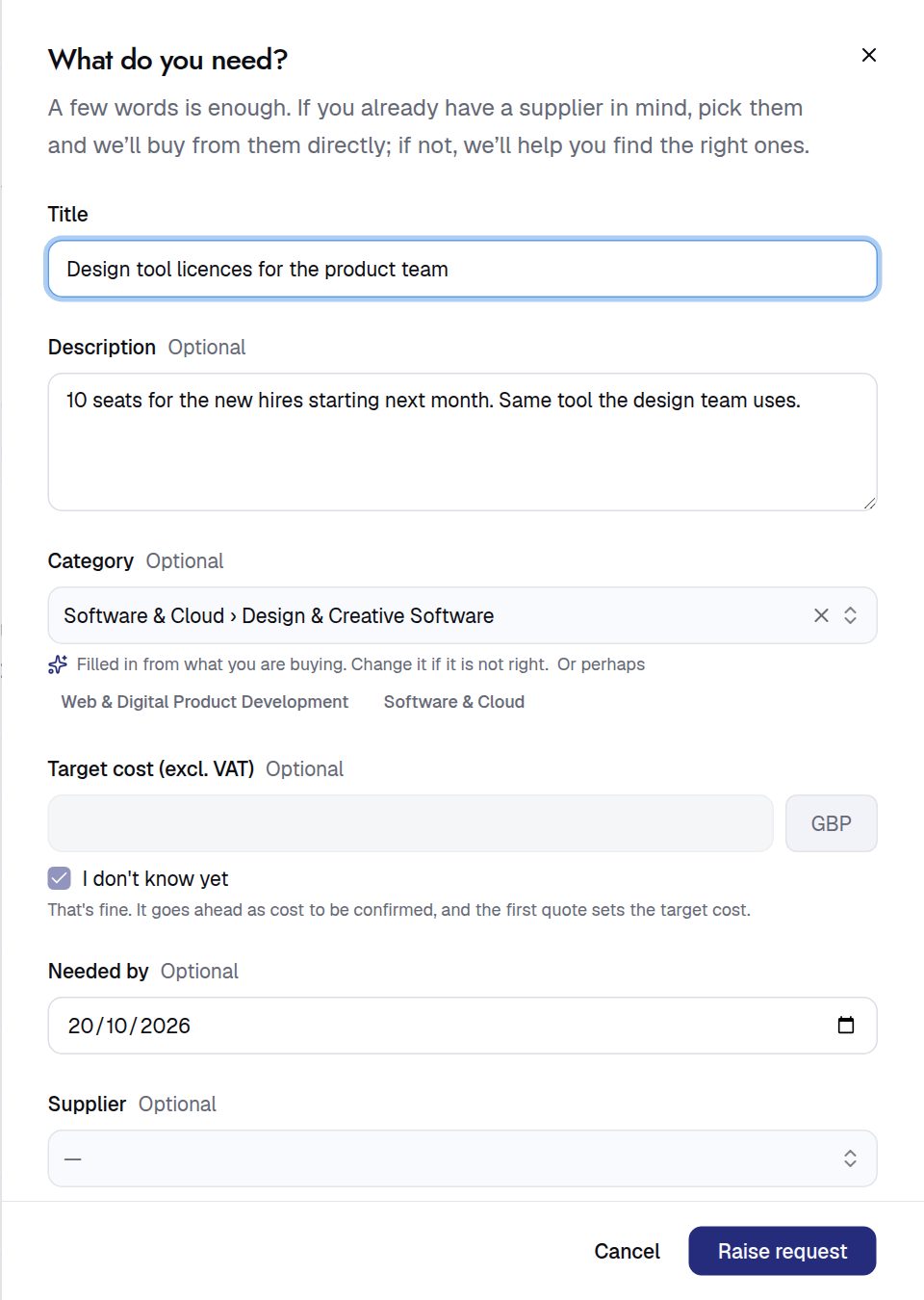
- Already have a supplier? Pick them in Supplier and Intakt buys from them directly. If not, leave it blank and procurement will find the right ones.
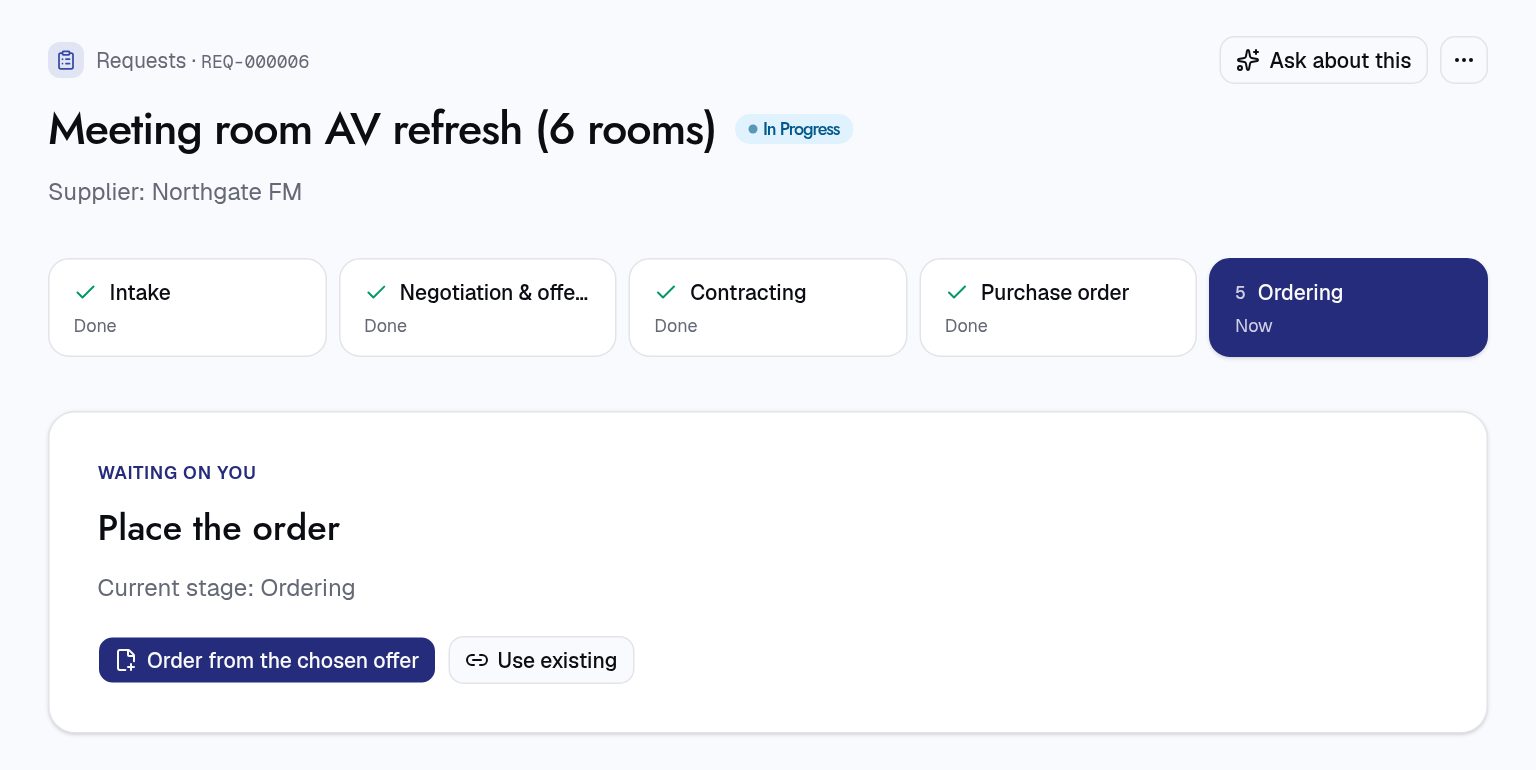
- Press Raise request. It opens on its own page. The cards across the top show each stage, and the big card shows who it’s waiting on now. Press Nudge assignee if it’s been sitting a while.
- Answer when asked. You’ll get an email and a task if someone needs more from you, and a note when it moves on. Everything you’ve raised is under Requests, on the Mine tab.
Stuck? Press Ask about this on the request and ask “what is it waiting on?” or “what happens next?”.
For procurement teams
- Which process runs: naming a supplier starts a direct purchase; leaving it blank starts a sourcing event to find and compare suppliers. Anyone can pick another process with Choose the process myself. Processes are edited in Administration › Processes.
- Target cost is excluding VAT. Offers are compared against it, and once the request is approved, raising it sends it for approval again.
- Budget: a request is charged to the requester’s department, from their profile. The Worth knowing card flags an existing contract, a similar request, or a budget that would go over.
- Stages come from the process, typically Intake, Negotiation & offers, Contracting, Purchase order and Ordering.