

When something you ordered arrives, tell Intakt. It takes a few seconds, and it’s what lets finance pay the invoice.
- Find what’s due. To receive in the menu lists everything still on its way to you, item by item. Home shows the count too.
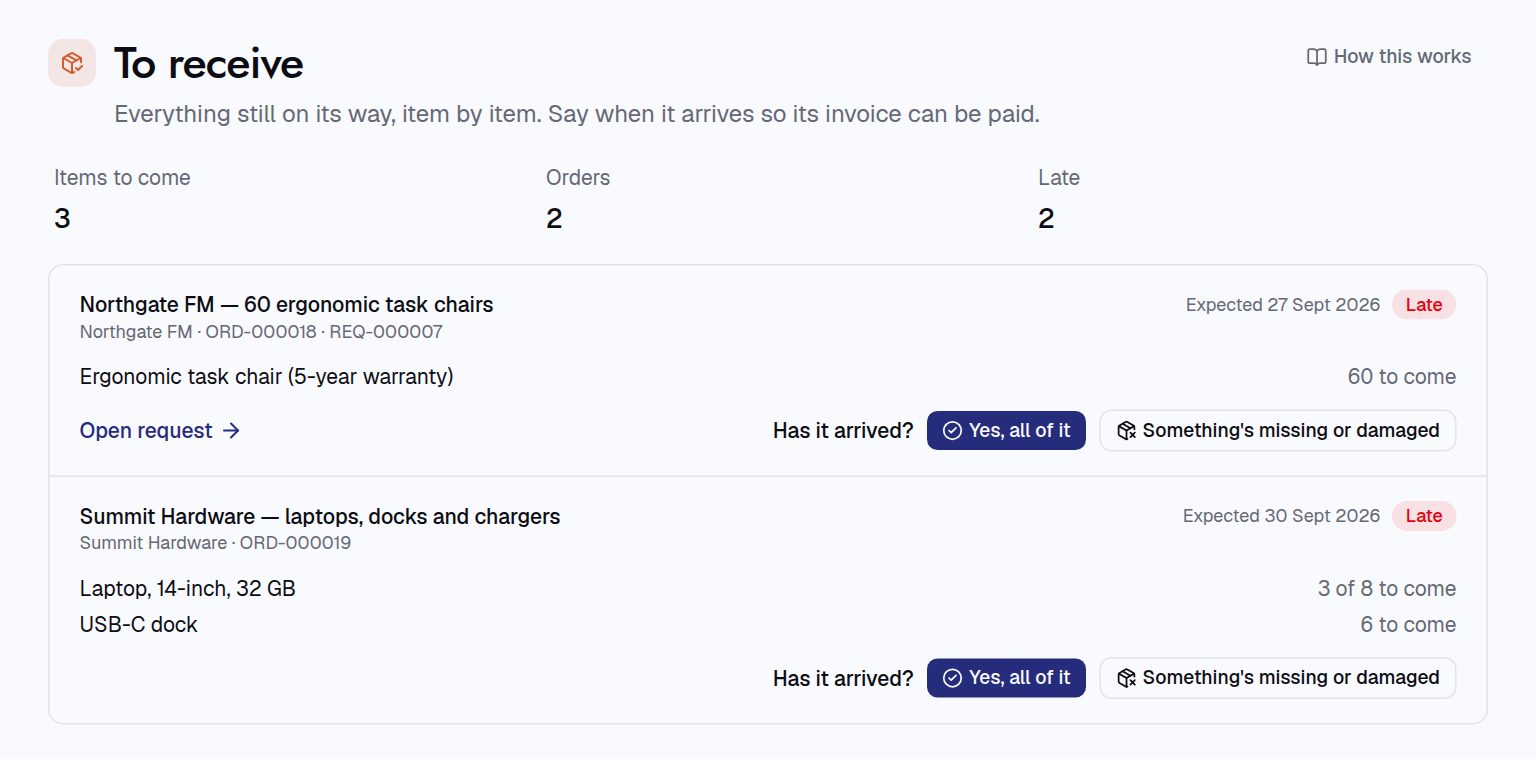
- Say whether it arrived. Press Yes, all of it if everything came in good shape.
- Something wrong? Press Something’s missing or damaged. For each line, say how many Arrived OK and how many were Refused, and add a note on what happened. Press Save.
- That’s it. The order shows as partly or fully received. Anything still to come stays on your list, and the invoice for it is matched again.
You can also record a receipt from the order’s own page, with Record receipt.
For procurement teams
- Who can receive: the order’s owner, the person it was requested for, or anyone who can edit orders. The receipt task goes to the requester first.
- What needs a receipt is set in Administration › Configuration: goods only (the default), everything on the order, or nothing. Categories such as services and software can be set to never need one.
- Receive small orders automatically: orders up to an amount you set can be received automatically a few days after their expected delivery, if nobody has recorded a receipt. It’s off by default.
- An invoice is only paid for what was accepted. Billing for more, once nothing more is coming, makes it an exception.